
NoteDove
A Home Screen widget for short notes from the few people you approve.
A Home Screen widget that shows a short note — text, emoji, a drawing or a photo — from a small set of people you have explicitly approved. The note stays put until it’s replaced or you dismiss it. No feed, no follower count, nothing to scroll.
Who it’s for
For couples first, then close friends and family: the handful of people whose messages you’d want on your Home Screen all day. In a messaging app their notes get buried in a thread with everyone else’s; on NoteDove’s widget, a note stays put until it’s replaced.
What it looks like
Captured from version 1.5.
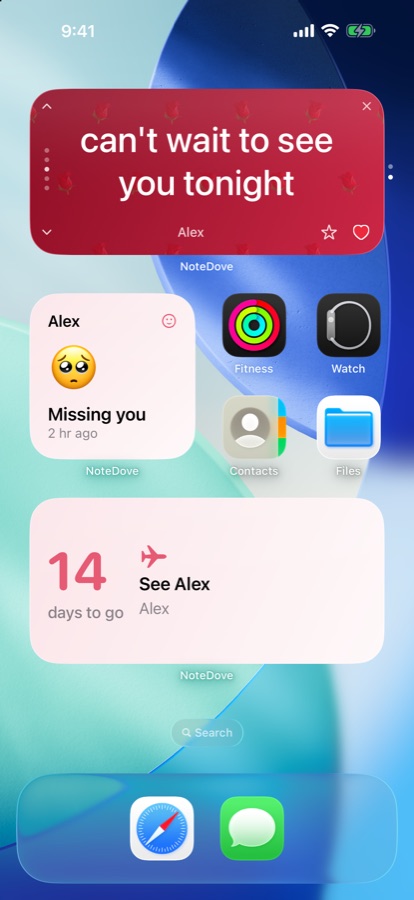
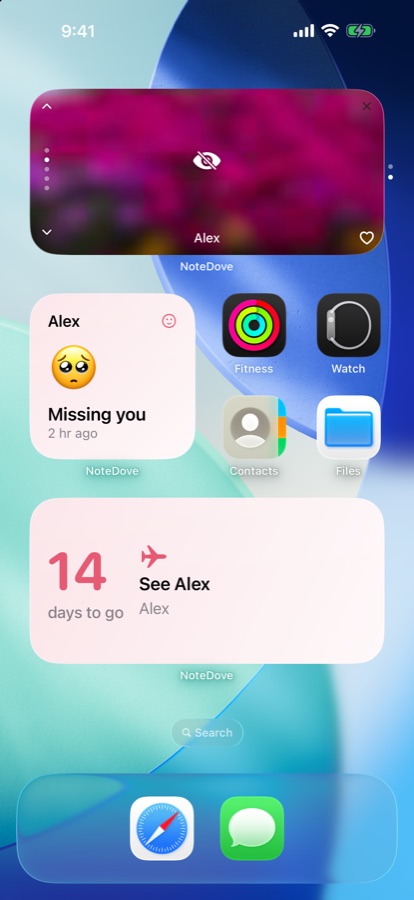
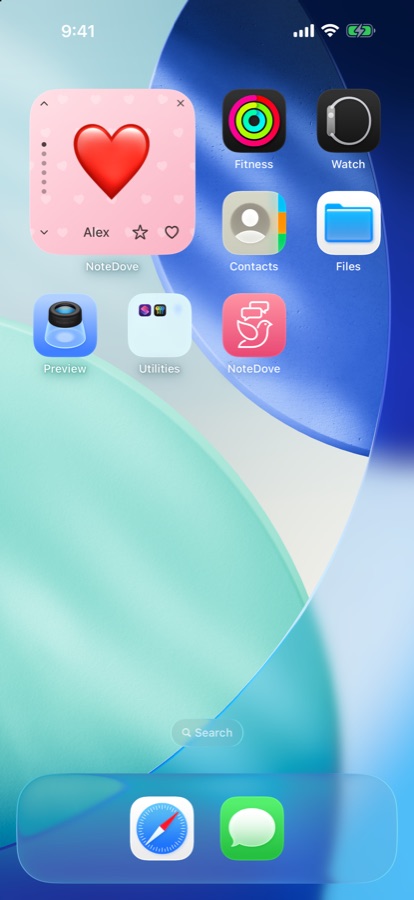
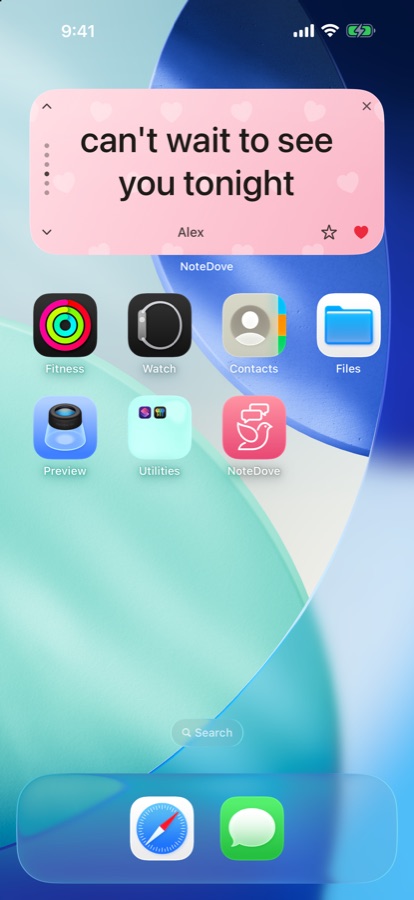
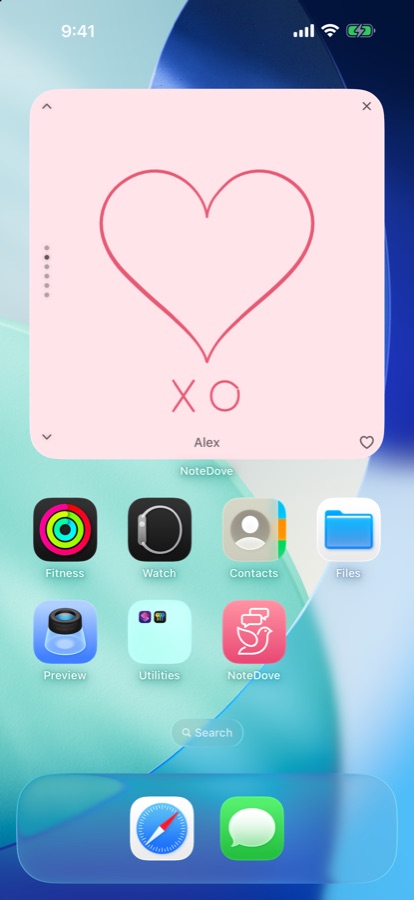
On the recipient’s Home Screen
The widget at each size, in Alex’s chosen look, with the arrows and dots down its left edge.
What’s new in 1.5.
- Backup delivery: if iCloud turns a note away, NoteDove sends it another way, sealed so only the person you wrote to can open it. Those notes have a blue dot in History. You can turn it off in Settings › General.
- A note that has to wait says why and counts down to its next try. If it can’t be delivered, tap the info button to see why, and Resend to send it again, from My last note or History.
- History shows photos and doodles as pictures.
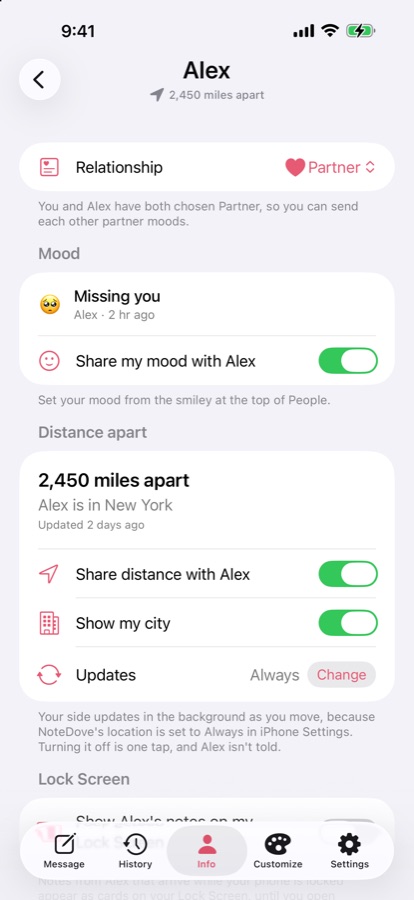
- Distance apart now works with Family and Friends, not just Partners. It’s off until you both turn it on.
- Distance widget: show how far apart you are from someone on your Home Screen or Lock Screen.
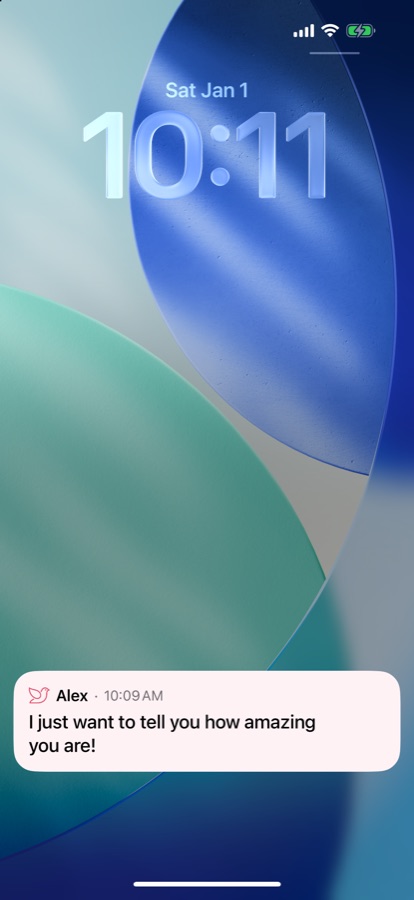
- Lock Screen notes clear whenever you open NoteDove, and tapping a card opens that person.
How it works.
01Approved senders only
Nobody reaches your Home Screen without a reciprocal pairing you agreed to. There is no discovery, no suggestions, and no way to be added by a stranger.
02Up to ten notes on the widget
Arrows down the left edge page through them, newest first, and the widget jumps back to the newest when another arrives. You choose what it keeps: the latest from each person, the latest ten, or the last 24 or 48 hours. Every note stays in the app either way.
03Keep a note, or send a heart
Tap the star on the widget and the note is saved to that person’s Favorites, so it stays after newer ones replace it; the sender isn’t told. Photos and doodles can be kept from the app too. Tap the heart and a ❤️ goes back to whoever wrote it, once per note, without replacing what’s on their widget.
04Each person, their own look
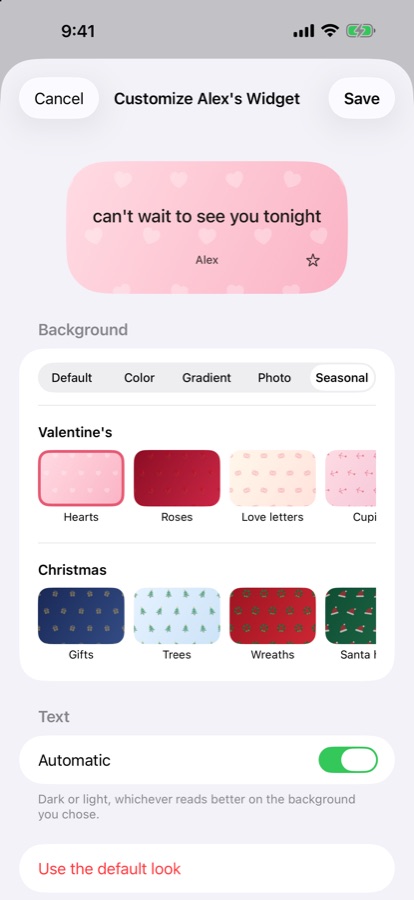
Pick a color, gradient or photo behind each person’s notes, so you know who wrote before you read the name. It’s set on your phone, and the sender never sees it.
05Photos arrive blurred
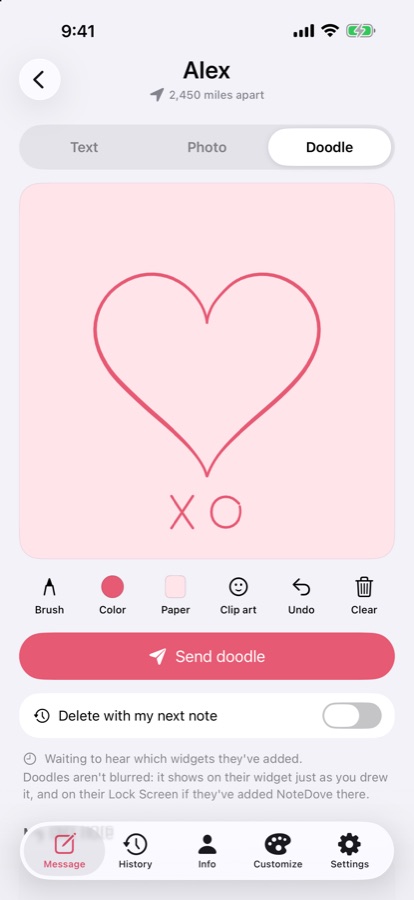
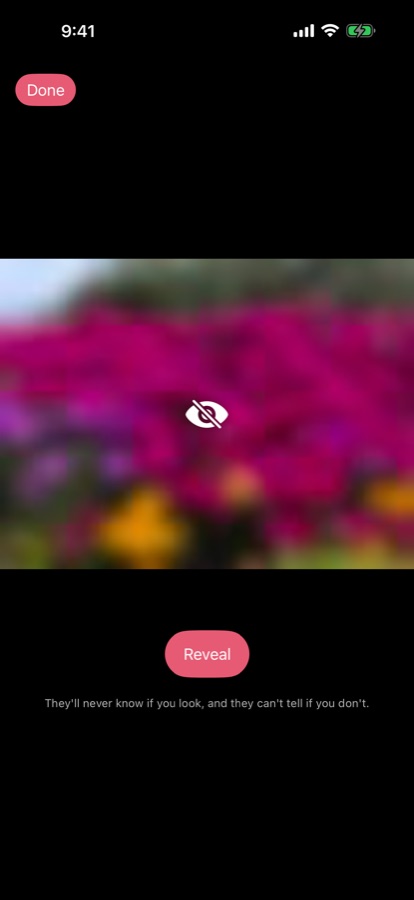
A photo reaches the widget as a low-resolution rendition — the detail genuinely isn’t in the file the widget can read. Revealing it opens the app. A doodle holds no camera image, so it shows as drawn.
06Quiet unless you ask
Sounds and banners are off until you turn on “Tell me when a note arrives” in Settings. Your widget still updates when a note lands.
07It tells you why a note is waiting
If a note can’t go yet, NoteDove says why — you’re offline, you’re signed out of iCloud, or the other person’s iCloud storage is full — keeps it, and sends it once that’s sorted, counting down to its next try. If it can’t be delivered, it says why and offers Resend.
08A live send preview
Before you send, you see the note rendered by the same view the widget uses, at the size the recipient actually has installed. What you see is what lands.
09Widget sets
Each widget shows one set and each person belongs to exactly one set, so moving someone between widgets is automatic — nobody can appear on two widgets, or none.
10Dismiss without telling anyone
Clear a note straight from the widget. It’s local only, the sender is never told, and dismissed isn’t deleted — it’s still in the app.
11Mute or remove, quietly
Muting hides someone’s notes without removing them; removing ends the connection. Neither tells them.
12Help in the app
A Help tab holds the widget setup steps and a troubleshooting guide, by topic and with pictures: late notes, sending, the widget, scheduled notes, Lock Screen notes and distance.
13Moods, dates and distance
Share how you’re feeling on the Mood widget, count down to the days that matter on the Countdown widget, and, with a partner, family member or friend who also turns it on, see a rounded distance apart, on the Distance widget too. Never a map.
14Lock Screen notes, only if you ask
Turn them on for one person at a time, and their text notes that arrive while your phone is locked show as cards on your Lock Screen until you open NoteDove. Off by default, never photos or Private notes, and never on an under-18’s phone.
15Backup delivery
If iCloud turns a note away, NoteDove sends it another way: sealed so only the person you wrote to can open it, held by our relay until their phone collects it, then deleted. Turn it off in Settings and nothing you send leaves iCloud.
What it costs.
Seven days of everything, free
The trial starts when you first connect with someone, not when you install — the app has nothing to show you until there is someone on the other end. No card required, and nothing held back during it.
Then $19.99 a year, or $49.99 once
Either one includes a Partner Pass: one person you are connected to gets full access without paying anything. A note needs two people, and charging both of them for one conversation is a toll booth rather than a business. Extra Partner Passes are $9.99 each.
Family Sharing included
The yearly plan and the one-time purchase both cover your Family Sharing group. The Partner Pass stays with the person who bought it.
Your data and privacy.
Nothing is collected. No accounts, no analytics, no tracking, no advertising identifiers, and no third-party code of any kind. The App Store privacy label reads “Data Not Collected”, because there is nothing to declare.
When you send a note it goes straight into the recipient’s own iCloud, in fields Apple encrypts end to end. We run one small service that asks Apple to refresh the other person’s widget when a note is sent; it holds an anonymous pairing token and push tokens, never your name or your Apple Account, and if it’s ever down, notes still arrive through iCloud. If iCloud refuses a note twice, backup delivery sends it through that service instead, sealed with a key only your two phones have: it can’t read it, holds it only until their phone collects it, and deletes anything uncollected after seven days. You can switch backup delivery off. The one time a note’s words pass through it readably is Lock Screen notes, which you turn on person by person: it passes them on to your Lock Screen at once and keeps nothing. Even the notification that wakes a phone carries no content: the device fetches the note and decrypts it locally, then writes the banner itself. Distance apart, if you and the other person both turn it on, sends your approximate location to their phone through iCloud, encrypted end to end, and never to us. Full policy: itotallyneedthat.com/notedove/privacy.
NoteDove is on the App Store for iPhone running iOS 26 or later. Everything on this page describes the current version of the shipping app.
Version history.
1.5 · 23 November 2026
Backup delivery, clearer sending, and a Distance widget.
- Backup delivery: if iCloud turns a note away, NoteDove sends it another way, sealed so only the person you wrote to can open it. Those notes have a blue dot in History. You can turn it off in Settings › General.
- A note that has to wait says why and counts down to its next try. If it can’t be delivered, tap the info button to see why, and Resend to send it again, from My last note or History.
- History shows photos and doodles as pictures.
- Distance apart now works with Family and Friends, not just Partners. It’s off until you both turn it on.
- Distance widget: show how far apart you are from someone on your Home Screen or Lock Screen.
- Lock Screen notes clear whenever you open NoteDove, and tapping a card opens that person.
1.4 · 20 November 2026
Doodles, moods, countdowns, Lock Screen notes, and love sent back.
- Doodle: draw a note with your finger, or draw on a photo before you send it. Draw back on a doodle or photo someone sent you.
- Moods: share how you’re feeling with the people you choose, and see theirs on the new Mood widget.
- Dates and countdowns: share the days that matter, get a reminder, and count down on the new Countdown widget.
- Choose Partner, Family or Friend for each person. When someone chooses you, you see it and can confirm with a tap. Partner is mutual.
- Each person has an Info tab for your relationship, mood, dates, distance and Lock Screen notes.
- Tap the heart on a note on your widget to send love back. They’ll see that you loved it.
- Favorites are now a star. The heart sends love back now, so tap the star to keep a note. Photos and doodles can be kept too.
- Lock Screen notes: turn them on for someone, and their notes appear on your Lock Screen while your phone is locked, a card for each note or one per person. Off unless you choose it.
- Show it later: write a note now and choose when it appears on their widget.
- Ideas: tap the lightbulb in the text box for ready-made notes.
- Add stickers and text to photos, give one note its own background, and try the Valentine’s and Christmas backgrounds and stickers.
- Partners can see how far apart they are, if you both turn it on. Approximate only, never a map.
- A daily reminder to write to someone, if you’d like one. They aren’t told.
- Tapping your widget now clears the app icon’s count.
- Help is now organized into topics, with pictures.
1.2 · 16 November 2026
Send to a group, and a new People screen.
- Groups: send one note to several people at once. Each person gets it on their own, and the group stays on your phone, so nobody sees who else it went to.
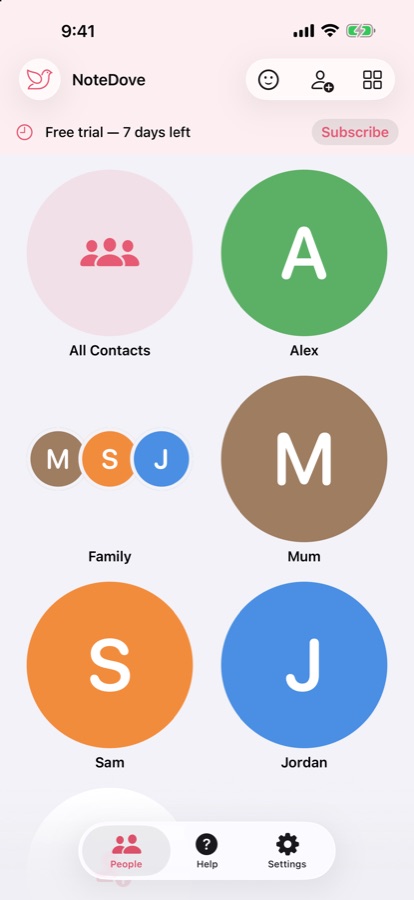
- People has a fresh look. Everyone appears as a circle with their photo or initial, in a color you can choose, and groups show their members.
- Sort People by most recent, A–Z or number of messages.
- Give a group its own photo, or use someone’s photo from your Contacts.
- Rename anyone from their Settings.
- Save or share a photo someone sent you: tap Share to save it to Photos or AirDrop it. Private photos still can’t be saved or screenshotted.
- Clear out old notes in one go: pick several, or delete everything older than 30 days, 90 days or a year. Settings › Storage shows how much space notes use.
- Invitations now arrive as a NoteDove link.
- When someone accepts your invite, they appear in People without you reopening the app.
- If someone has removed you, their name shows “No longer connected” once a note can’t be delivered.
- “Widget groups” are now called widget sets, so they aren’t confused with send groups.
- If someone in your family subscribes, NoteDove now explains that Family Sharing can take a few minutes to reach your phone.
1.1.1 · 10 November 2026
Invitations now connect on the first tap.
- Tapping an invite link works even when NoteDove is closed. Before, the first tap could open the app without connecting.
- While a new person is connecting, they appear in People straight away with “Connecting…”.
- People you’ve invited show “Invited — Waiting for them to accept” until they do.
1.1 · 9 November 2026
A bigger, calmer NoteDove.
- Your widget now keeps up to ten notes. Arrows page through them, and a new note always comes to the front.
- Tap the heart to keep a note after newer ones replace it.
- Give each person their own color, gradient or photo on your widget.
- Quiet by default: sounds and banners are off until you turn them on, and your widget still updates the moment a note arrives.
- If a note can’t go yet, NoteDove now says exactly why — offline, signed out of iCloud, or the other person’s iCloud storage is full — and sends it once that’s sorted.
- A new tab bar: People, Help and Settings. Help includes a Troubleshooting guide.
- All Contacts shows everyone’s notes in one place.
- Faster, more reliable widget updates, and fixes for photo notes.
1.0 · 5 November 2026
The first release: short notes, emoji and photos from the people you approve, on your Home Screen widget.