
SleepWell
A sleep tracker that watches for movement with your phone’s camera — entirely on the device.
SleepWell is a sleep tracker that uses the camera your phone already has. Set the phone on your nightstand facing the bed, and it scores how much you move through the night. Everything is processed on the device — there is no account, no cloud, and no upload.
Who it’s for
People who want a picture of how restless their nights are without strapping anything to their wrist or paying a subscription for it.
What it looks like.
Captured from the app on an iPhone. The night shown is a real one.
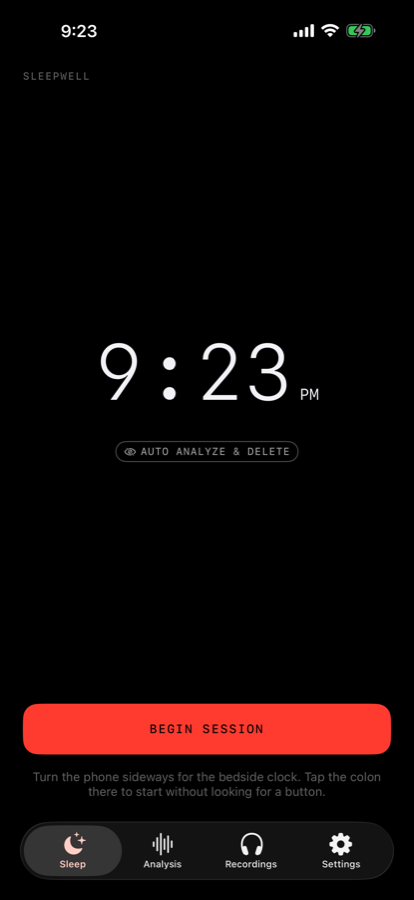
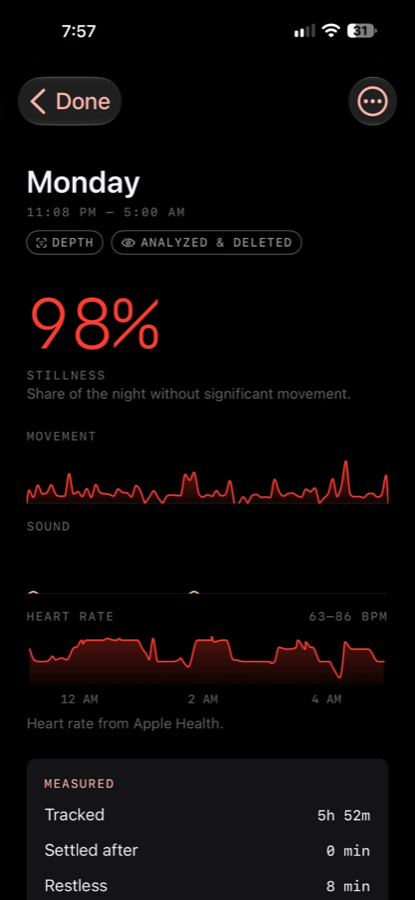
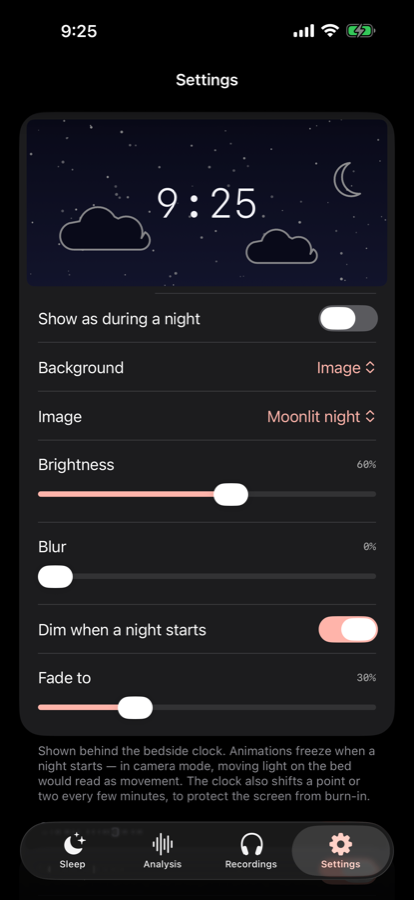
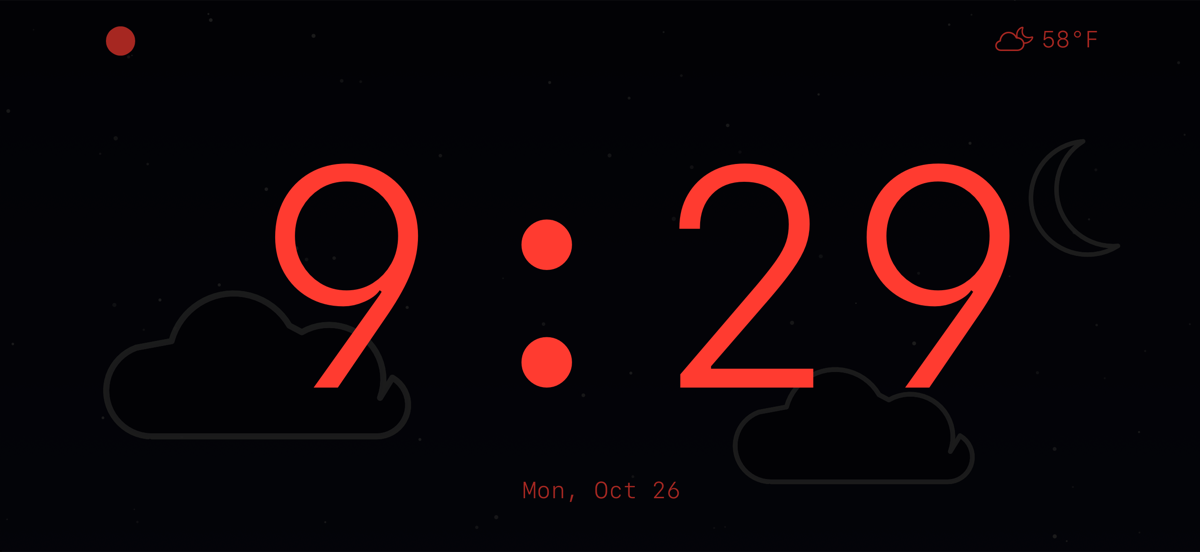
The bedside clock.
Turn the phone sideways. Tap the colon to start or stop a night.
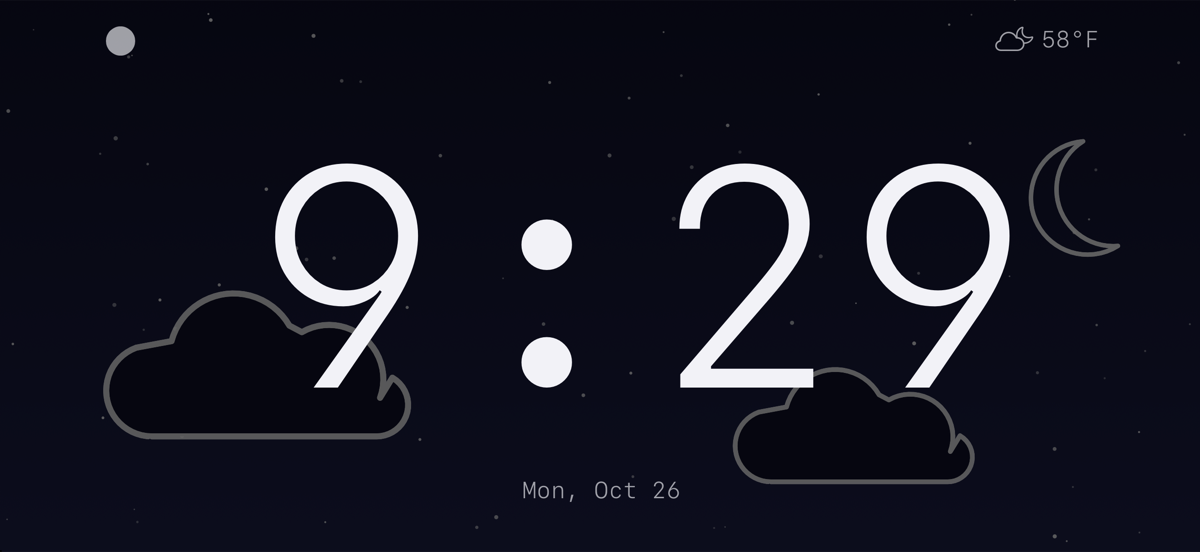
What you can do with it.
01Track a night by movement
The camera looks for motion only, on the device, and nothing is uploaded. Recording works with no connection. On iPhones with Face ID, SleepWell can read movement from the Face ID sensor’s depth measurements instead of the camera picture.
02Choose what’s kept
Save Video keeps each night’s recording on the device. Auto Analyze & Delete scores frames in memory and drops them immediately — only small movement timestamps are stored, and video never touches the disk.
03See each night at a glance
A stillness figure — the share of the night without significant movement — and charts for movement and sound on one timeline. Week, month and all-time views put nights side by side.
04Snoring, sleep-talking and noise
SleepWell recognises snoring and talking on the phone itself, and shows how many minutes were noticeably louder than your room’s usual quiet. They’re sounds heard in the room — it can’t tell whether they were yours.
05Hear what you said in your sleep
Keep short clips of just the moments talking was heard, to play back or share. In Auto Analyze & Delete that’s off until you turn it on, and the rest of the night is never recorded.
06Listen back
In Save Video mode, play a night back from the Recordings tab, save the video to Photos, share it straight from SleepWell, or delete the recording and keep the measurements.
07Heart rate beside the night
If you wear an Apple Watch to bed, a night’s page can show the heart rate it saved to Apple Health, on the same timeline. Off until you turn it on, read on your phone with your permission, and never copied or sent anywhere.
08A bedside clock
Turn the phone sideways and only the time shows, in a colour and one of five typefaces you choose, over a colour, a night scene, a slow animation or your own photo. Tap the colon to start or stop tracking without getting up.
09The moon, the weather, the date
Optional readings around the clock, plus a battery reminder that appears only if the phone isn’t plugged in. The weather uses your approximate location and Apple’s weather service, and is off until you turn it on.
10Start and stop from your Apple Watch
With SleepWell open on the phone, start a night from your wrist, glance at it if you wake, and end it in the morning. The watch can also show what the phone can see, so you can check your framing from bed.
11Dim the screen overnight
An optional setting lowers brightness and contrast in the small hours of a session and restores it the moment you touch the phone.
12Delete your data
Remove a single night, clear the sample data the app ships with, or erase everything from the device, all from Settings. Settings also shows how much space SleepWell’s data takes.
How it’s different.
01Movement through the whole night
SleepWell scores how much you move for the entire night, from the camera or, on Face ID iPhones, the depth sensor, and charts it beside sound on one timeline. Nothing to wear and nothing to buy.
02The video never has to exist
In Auto Analyze & Delete, frames are scored in memory and dropped, and sound is measured as it arrives. No video or sound is ever written to storage — only the measurements.
03One price, once
$9.99 after a free 7-day trial. No subscription, and nothing renews.
04Only what it measured
No sleep stages and no sleep-quality score — nothing a phone on a nightstand can’t measure. Labels say what was measured: “Tracked”, not “time asleep”.
05It says when it doesn’t know
Time the camera wasn’t running is shown as a gap, not counted as a still night. A microphone that delivered only silence is reported as no measurement, not as a quiet night.
06The clock is the control
Turned sideways it’s a bedside clock. Tap the colon to start or stop a night without picking the phone up or opening a menu.
What it costs.
Free for 7 days
SleepWell is free to download. Try everything for 7 days from your first night.
$9.99, once
Unlock it to keep recording new nights. No subscription, and nothing renews.
Your nights stay yours
Past nights and recordings stay available whether or not you unlock.
Your data & privacy.
Recording and analysis happen entirely on your phone. There is no account, no sign-in, and nothing is uploaded — recording works with no connection at all. The app’s only connections are to Apple: the App Store, for the free trial and the unlock, and — only if you turn on the weather on the clock — Apple’s weather service, with your approximate location, which SleepWell doesn’t keep.
Heart rate stays in Apple Health. If you turn it on, SleepWell reads the heart rate your Apple Watch saved for each night, on your phone, when you open the night. It reads nothing else from Health, writes nothing to it, and keeps no copy.
In Auto Analyze & Delete mode, no video or sound is written to storage at any point — only the measurements. The microphone measures loudness as it goes, but the sound itself is never saved. You can turn noise measurement off in Settings.
Sessions and measurements are stored in the app on your device, and deleting the app removes them. The full privacy policy says the same in more detail.
Questions, problems or ideas.
In the app, Settings → Contact support writes to us with a log of what the app did already attached, so you don’t have to explain your phone or your settings. You can read the log under Diagnostics before sending. Or email us with “SleepWell” in the subject, and a human will read it.
support@itotallyneedthat.comVersion history.
1.0.1 · 19 November 2026
The first release.