TwoKey
A private messenger that will only talk to people you’ve met in person.
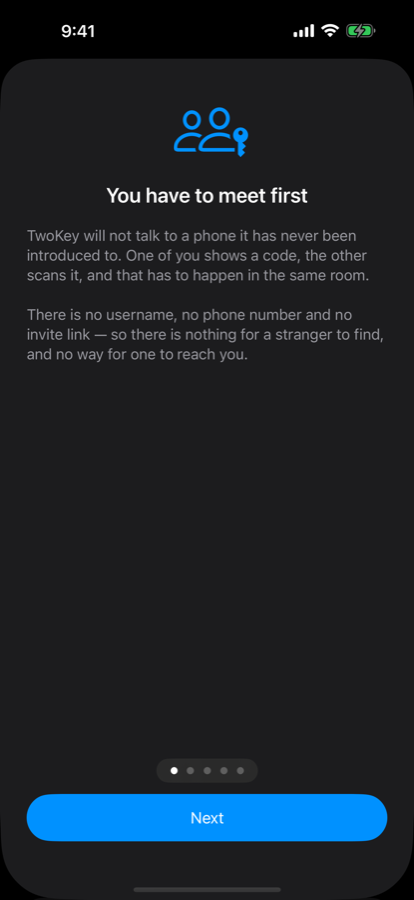
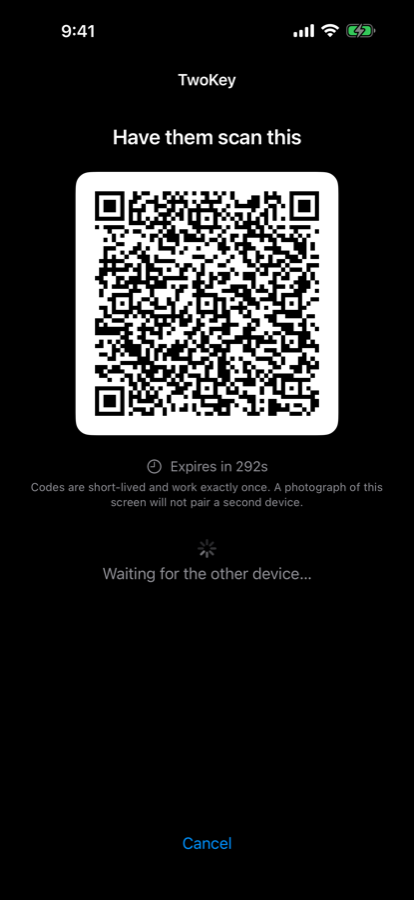
TwoKey is for conversations that must stay between exactly two people. Before you can message someone, the two of you have to be in the same room: one phone shows a code, the other scans it. Without that step the two phones cannot open a conversation at all — there is no username to look up, no phone number to find, and no link that lets a stranger reach you.
What it looks like.
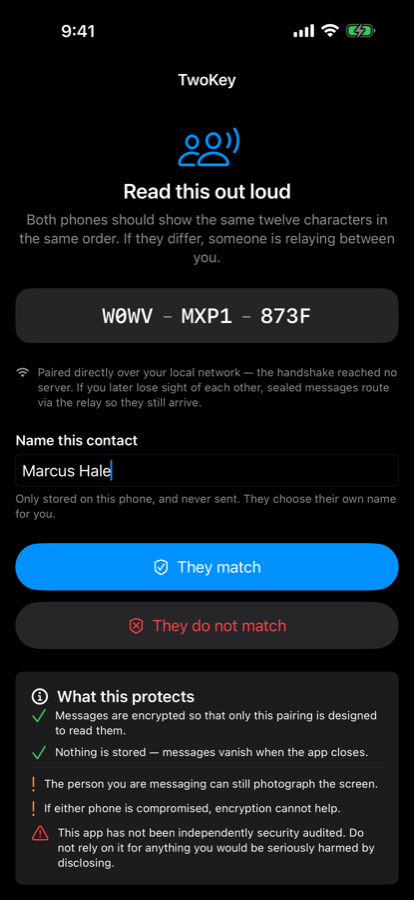
Captured from the app running on an iPhone.
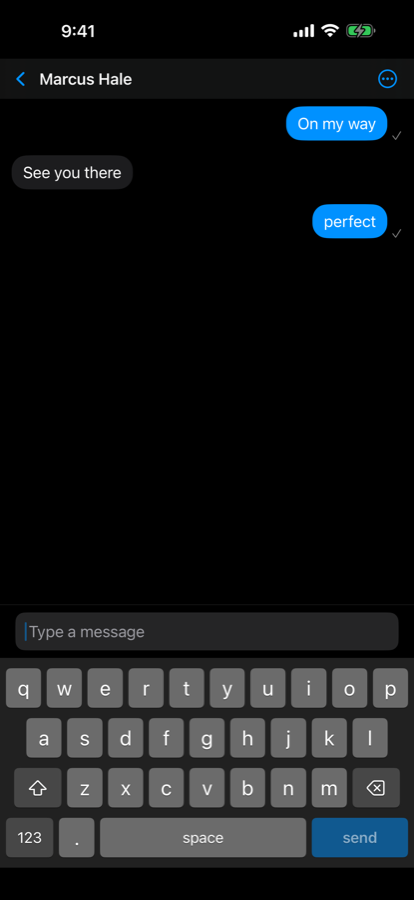
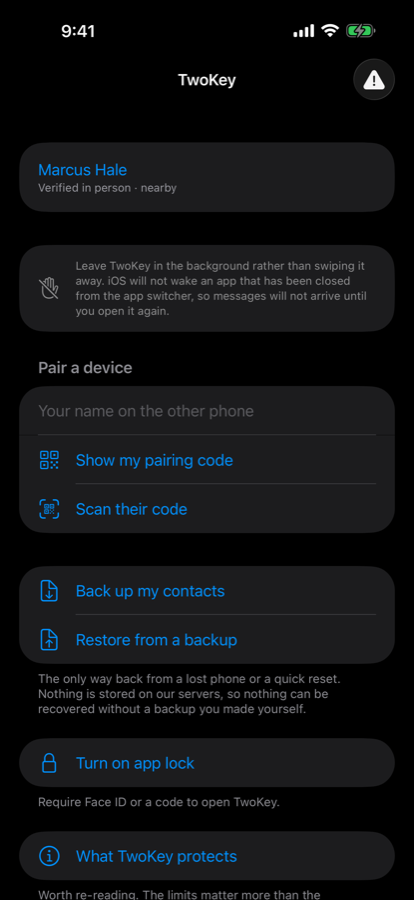
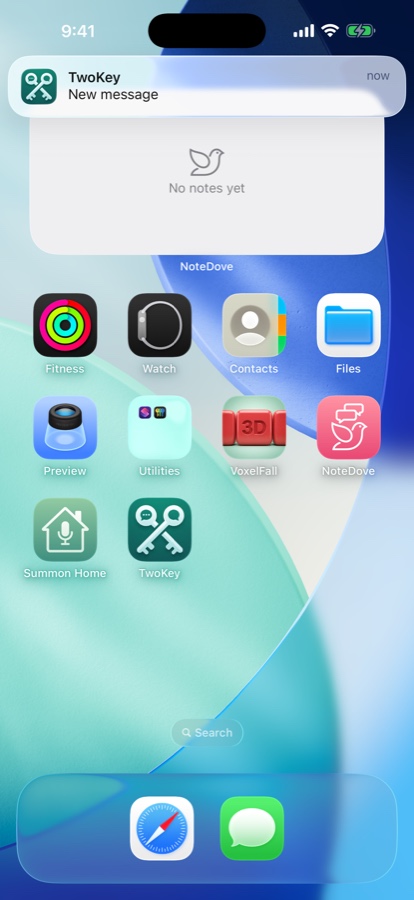
How it’s different.
01You cannot be contacted by someone you haven’t met
There is no invite link, no username and no phone number. Other messengers register you by phone number and will open a conversation with anyone who has it. TwoKey has no equivalent — a stranger has no way to reach you, because there is nothing to reach.
02No account, ever
You don’t sign up, and there is no password to reset, because there is nothing to sign in to. That also means we hold no list of who uses TwoKey.
03No message history, anywhere
Messages exist only while the app is open and are never written to storage — on either phone. This is a deliberate trade: there is no scrollback, and losing your phone means losing the conversation. It also means there is nothing on the device for anyone to recover later.
04The pairing step is the product
Other messengers treat verifying a contact as an optional extra that most people skip. Here it is the only way to start, so it can’t be skipped.
05You are told how you’re connected
Every conversation shows its route beside the contact’s name. “Nearby” means the two phones linked directly over your own network and your messages are touching no server at all. Most messengers never surface this.
06Reused pairing codes are reported
A code works exactly once and expires in five minutes. A second device trying to use it is refused and reported to you as a security event, not silently ignored.
07Notifications that name nobody
A message alert says “New message” — not who sent it, and never what it says. Showing a contact’s name is something you switch on for one person at a time.
08A keyboard built into the app
What you write never passes through a third-party keyboard or the system’s predictive-text dictionary. Message text is hidden from screenshots and screen recordings, and if a screenshot is taken anyway, both people are told.
What it costs.
Free for 14 days, then a subscription — to start conversations
Starting a conversation of your own, by showing your code, is free for 14 days from your first pairing. After that it is $19.99 a year for up to five conversations you started at a time, or $49.99 a year for unlimited. No card is asked for during the trial.
Free to receive — always
This part never changes. If someone shares their code with you, you scan it and message them back as much as you like, forever, without paying anything. You are never asked to upgrade to keep talking to someone.
It is a yearly subscription rather than a one-time purchase because there is a server to run for as long as your conversations exist. If the trial or a subscription ends, nothing is deleted — the conversations you started pause, your contacts and keys stay on your phone, and everything comes straight back when you subscribe.
Your data & privacy.
We have no account system, so we hold no name, email address or phone number for you.
We cannot read your messages. They are encrypted on your phone and decrypted on the other person’s, and the keys never leave those two devices. When a message has to wait for a phone that is switched off, it waits on our relay as sealed bytes we cannot open, and is deleted the moment it is collected.
Your contacts are not uploaded. TwoKey never reads your phone’s address book, and the names you give your contacts stay on your own device — the other person never learns what you called them.
No analytics, no advertising, no tracking. The app contains no third-party analytics or advertising software of any kind.
The camera is used only to read a pairing code. No photo is taken or saved, and the app does not request access to your photo library.
Your keys stay on one phone. They are excluded from iCloud and from device backups, so restoring a backup to a new phone will not bring your contacts with it. You can make your own encrypted backup instead, which is the only way they move.
TwoKey uses standard, published encryption. We are a small company and have not yet commissioned an independent security audit; we would rather say so than imply a review that hasn’t happened.
Questions.
Can I message someone I haven’t met?
No. This is the entire point of the app rather than a limitation to work around.
How do I know any of this is true?
TwoKey is closed source, so a security team cannot read the implementation. The design is published instead: the protocol specification and threat model sets out the primitives, the pairing handshake and the transport — and ranks what the design does not protect against. It also states plainly that the code has not been independently audited.
When can I get it?
Version 1.0 is being submitted to the App Store. It is not available yet; this page will carry the link when it is.
I need this for work — clients, a team, a group.
That is TwoKey+, a separate app built for professional use, where a record can be kept on your own device when your work requires one — and the person you are talking to is told so plainly before they agree to anything.
Questions or ideas.
Email us and a human will read it. Please don’t include the contents of any message — we cannot read them, and you shouldn’t send them to us.
support@itotallyneedthat.com