
SpeedFill
Reusable text and form details, one click away in a Chrome side panel.
SpeedFill is a Chrome side panel that holds the things you retype all day. Keep your standard replies in one list and your name, address and contact details in another, then drop either into a web page with a click.
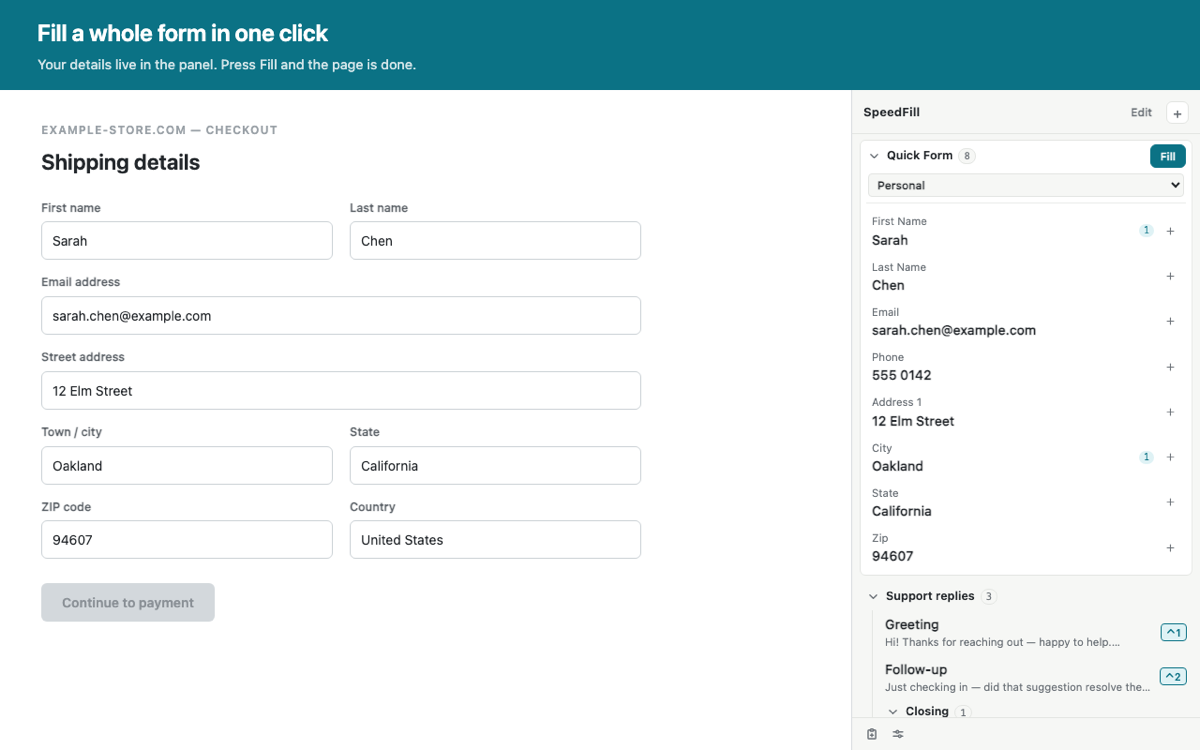
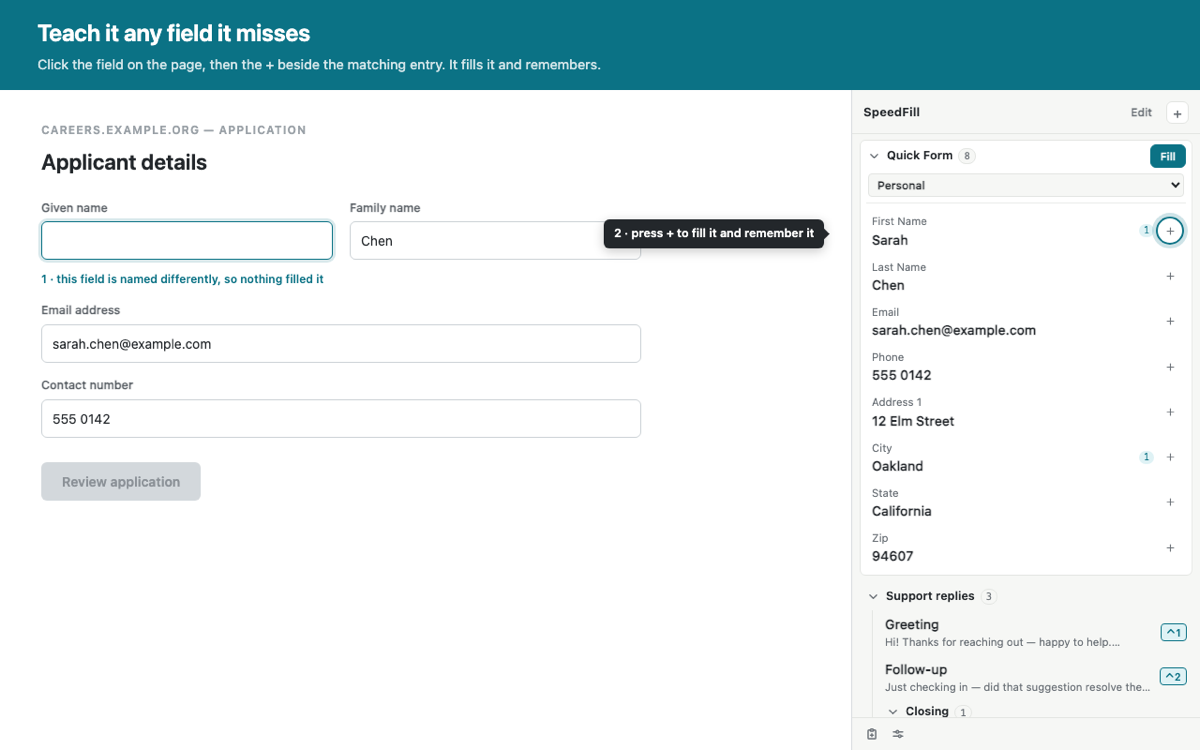
It also fills in web forms — and when a form has a field it doesn’t recognise, you can point at that field and teach it, so the next form like it fills automatically.
What it looks like
The panel sits beside whatever page you’re on.
What you can do with it.
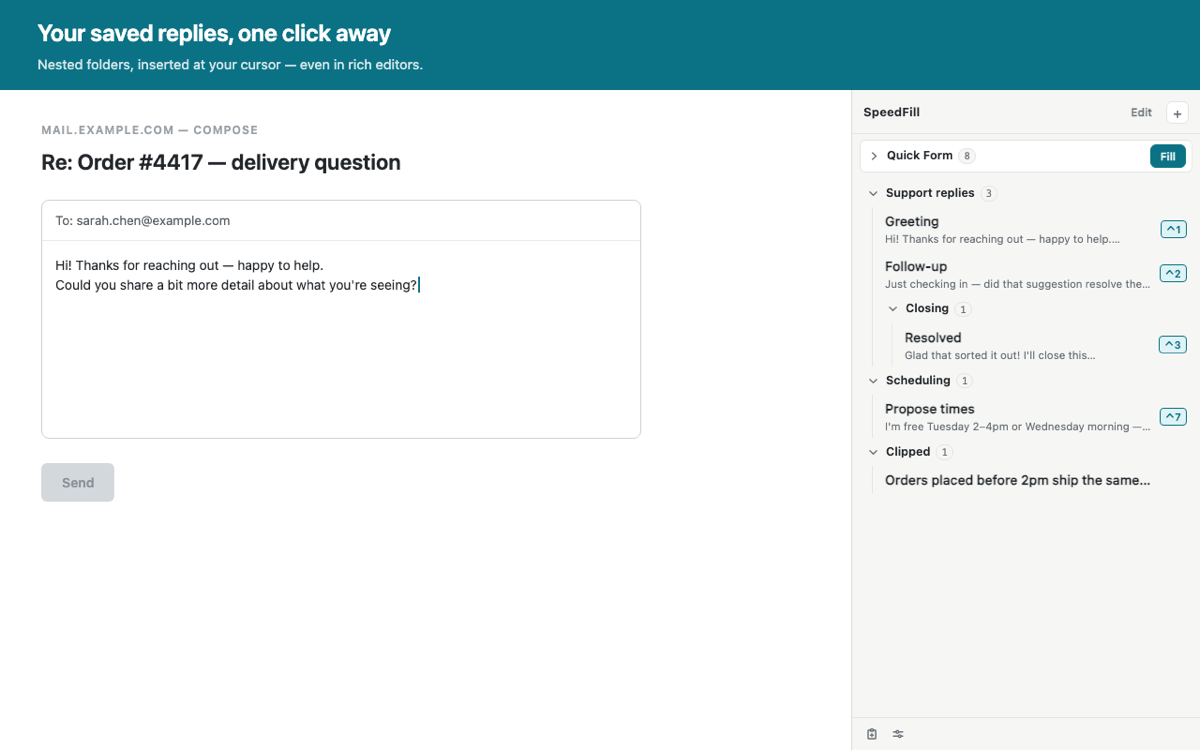
- Keep your standard replies in folders you can nest, reorder and collapse.
- Click a reply to drop it straight into whatever box you were typing in, exactly where your cursor was.
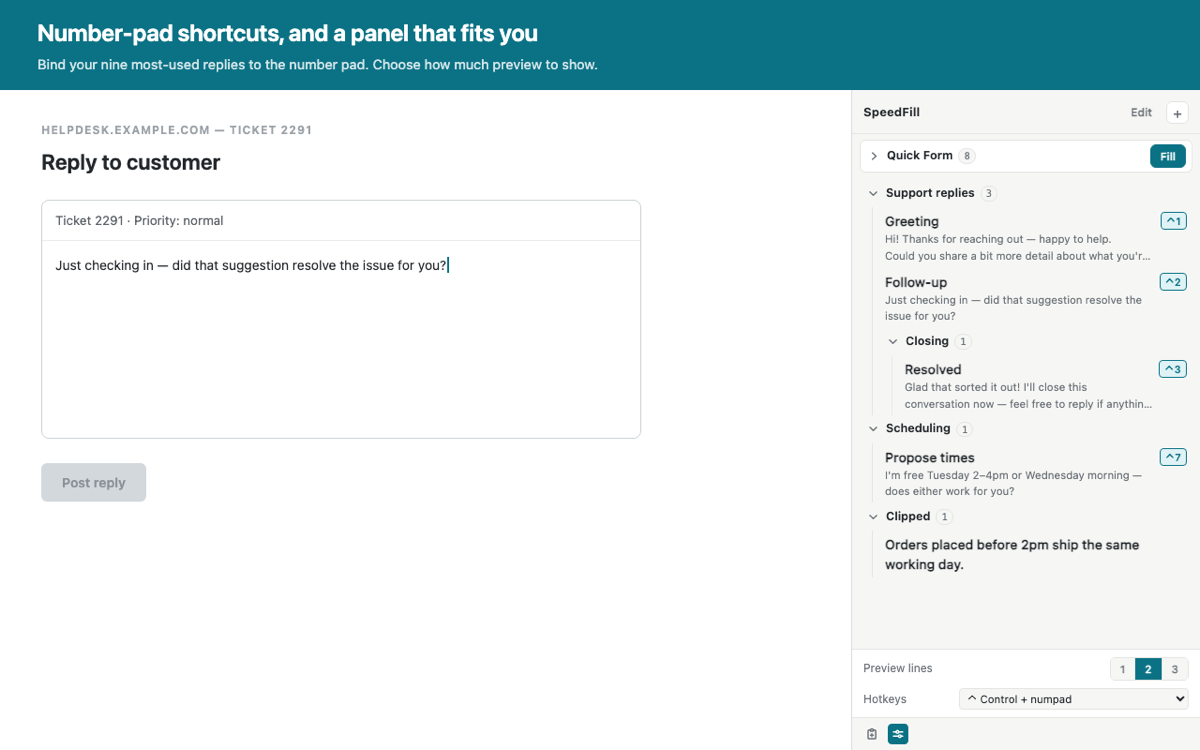
- Press a number-pad key to insert a reply without touching the panel.
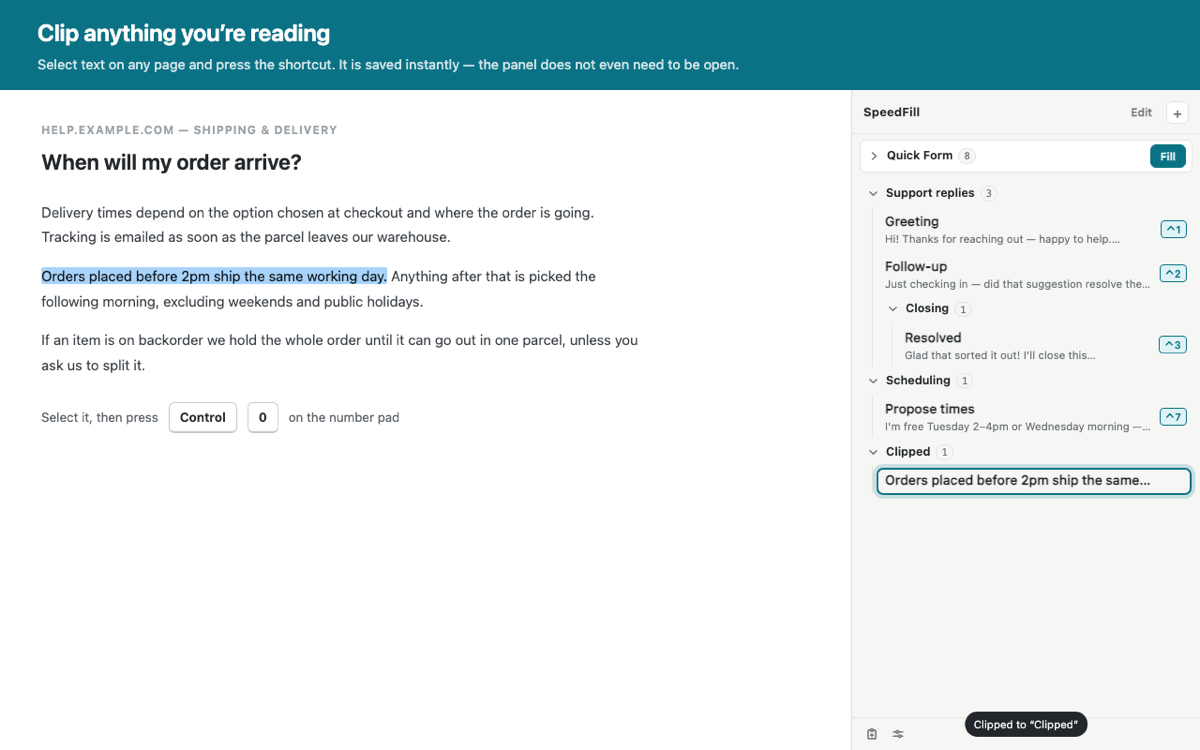
- Highlight text on any page and save it to your library with one keystroke — the panel doesn’t even need to be open.
- Store your everyday form details and fill a whole form in one click.
- Teach it any field it missed by clicking the field and pressing a button.
- Keep several sets of details — a home address and a work address, say — and switch between them.
- Show one, two or three lines of preview for each saved reply.
How it’s different.
01Free, with everything included
There’s no paid tier, no cap on how many replies, folders or detail sets you can keep, and no account to create.
02One panel for both jobs
Saved replies and form details live in the same place, so there’s no running one extension for text and another for forms.
03You teach it by pointing, not by writing rules
When a form field doesn’t fill, you click that field on the page and press a button next to the matching entry. It fills it right away and remembers how that site names the field. There’s no rule syntax to learn and nothing to configure.
04The number pad becomes shortcuts
Assign your nine most-used replies to number-pad keys and insert them without leaving the keyboard. A plain number-pad press still types a number, so forms expecting a phone number or a quantity keep working.
05Nothing leaves your computer
No account, no sign-in, no sync, and no network connection of any kind. Everything is stored in your own browser.
What it costs.
Free
Every feature is included, nothing is held back behind an upgrade, and there is no subscription, one-off charge or in-app purchase.
No account
There’s nothing to sign up for. Install it and it works.
Your data & privacy.
Everything you save stays in your own copy of Chrome. SpeedFill has no account, no sign-in and no sync, and it makes no network connections at all — your replies and details are never sent anywhere, because there is nowhere for them to be sent.
Form filling never writes to password fields, and SpeedFill never submits a form for you. It only fills text boxes that are empty, so running it twice can’t overwrite something you’ve already typed. Dropdowns are set even when the page has pre-selected something, since that’s normally just a default rather than your choice. A saved reply only ever goes into the field you have focused and clicked to insert it into.
Because your details sit in ordinary browser storage, treat it the way you’d treat a notes app: it’s the right place for your name, address and contact details, and the wrong place for anything you wouldn’t write on a sticky note.
SpeedFill isn’t in the Chrome Web Store yet, so there’s nothing to install today.
Questions or ideas.
Email us and a human will read it. If you’re reporting a form that didn’t fill correctly, it helps to include the web address of the page and which detail didn’t go in.
support@itotallyneedthat.com